 Corridor Utility Partners
Automation where machines are strong. Engineering judgment where humans are essential.
This is not an AI page. It is a description of which parts of utility engineering production we automate, which parts we deliberately do not, and how client data is handled along the way.
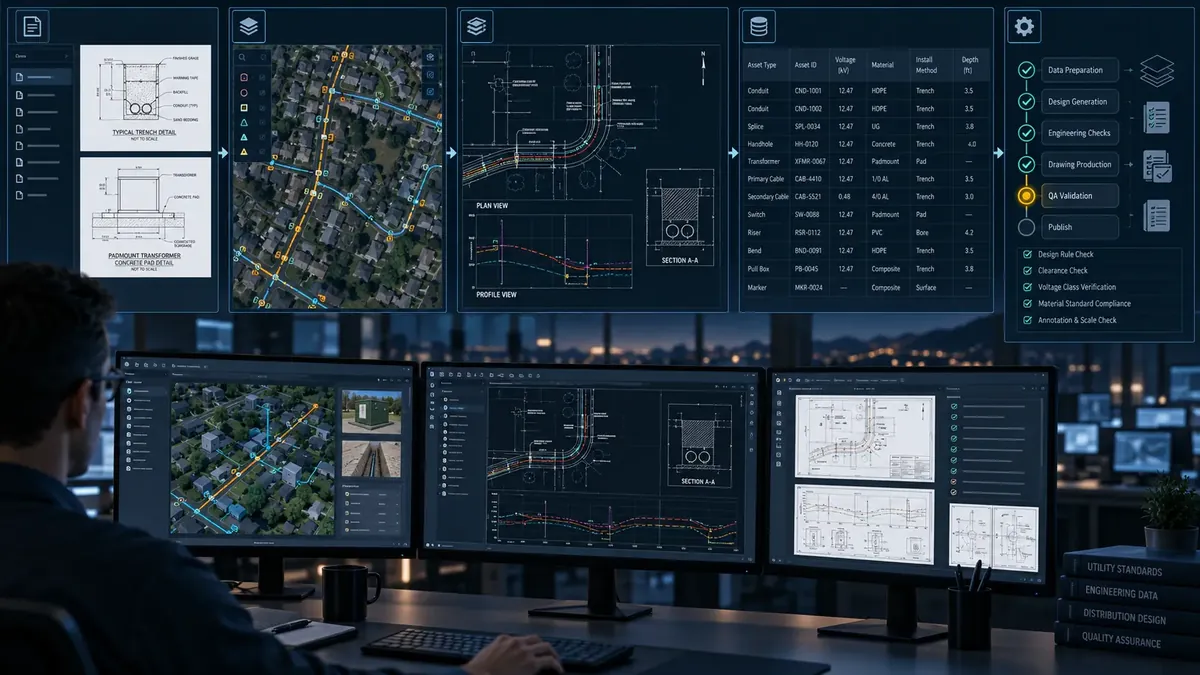
From standards and data to validated output.
Standards, GIS, project data, historical reviews and templates feed an engineering automation layer that produces drafts, checks, documentation and constraint detection. An experienced engineer turns that into validated output.
Repetitive production and checking.
- Standards retrieval
- Document analysis
- Engineering data normalization
- Repetitive production steps
- Drawing and document preparation
- QA checks
- Requirements traceability
- Review-comment processing
Judgment, exceptions and validation.
- Engineering judgment
- Unusual conditions
- Constructability decisions
- Ambiguous standards
- Technical exceptions
- Final validation and escalation to your PE
On claims. The automation layer is designed to reduce repetitive engineering effort and increase engineering throughput. We publish efficiency figures only once they are measured on real client work; until then we make none.
An isolated engineering environment per client.
For every client, a separate environment holds the material a new engineer would otherwise have to learn from scratch. Production and checks run against it, so packages match your practice from the first week.
- Client standards and approved materials
- Drawing standards and templates
- GIS schema and example projects
- QA rules and historical review comments
Security. Client environments are isolated: no client data is mixed between clients, no models are trained on client data without a contractual basis, and client material stays in client systems wherever possible. Access is least-privilege and logged.